Workflow automation
Standard templates and automated hand-offs across every office.
One platform for every office, team and client — with the visibility leadership needs and the automation staff actually use.

Every office runs its own mix of apps, so data lives everywhere and nowhere.
Manual intake, chasing documents and re-keying data slow every new engagement.
Demand keeps rising, but hiring can’t keep up — and burnout follows.
Standardize how work gets done without forcing every team into the same mold.
Standard templates and automated hand-offs across every office.
Organizers, requests and e-signatures that collect what you need up front.
CRM, documents, billing and portal on shared client data.
Client email synced to the record and visible to the whole team.
Proposals and engagement letters that launch the work automatically.
Realization, capacity and profitability by office, team or partner.
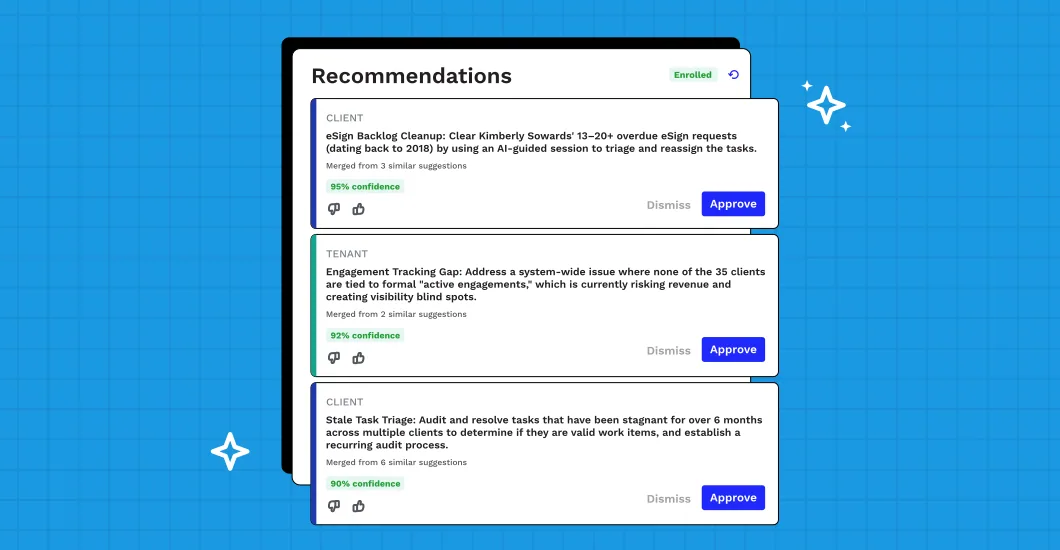
Your people stay in charge. AI handles the busywork in between.
Illustrative quotes
We finally have one view of every office. Partners stopped asking for status reports because the answers are already on the dashboard.
Can’t find what you need? Our team is happy to help.
Yes. Teams, permissions, templates and reporting can be organized by office while staying on one shared platform.
Firmora connects with leading tax and accounting tools, so data flows between systems instead of being re-keyed.
Yes. Build templates per service line, office or client type, and update them centrally as processes change.
Most large firms go live in phases over several weeks, with a dedicated team handling migration and training.
Yes. Start with one office or service line, prove the results, then expand at your own pace.
Encryption in transit and at rest, role-based permissions, multi-factor authentication and detailed audit logs.
See it working with your own clients, workflows and billing setup.
Book a demo
Request received
A product specialist will email to schedule your demo.